Close Jobs On-Site and Cut Costly Callbacks
Most service owners treat "done" as the moment the tools go back in the truck. The homeowner waves. The crew drives off. Then the real work starts in the worst possible place: your phone.
A missing photo. A vague invoice. No walkthrough. Three days later the customer calls about a drip, a stain, or a charge they do not recognize. That callback is not bad luck. It is a closeout gap, and it quietly eats hours you already billed.
Done is not the same as closed
Finishing the physical work is only half the job. Closing the job means the customer agrees the work is complete, the office has proof, and payment can go out without a debate.
When those three things do not happen on site, the crew has already left. Now someone in the office has to reconstruct the visit from memory, texts, and a blurry photo someone may or may not have taken.
That delay is where callbacks, disputes, and slow payments live.
What incomplete closeout actually costs
A callback is never just "a quick stop." It is drive time, a disrupted route, a tech pulled off a paying job, and a customer who now trusts you a little less.
For a two-person HVAC crew in Tampa Bay, one preventable return trip can wipe out the profit on the original call. Do that twice a week and you are running a second unpaid route you never planned.
The damage is not only labor:
- Invoices sit because photos or notes are missing.
- Customers push back on line items they never saw explained.
- Reviews never get asked for, so the next lead has less proof.
- Office staff spend the afternoon playing detective instead of booking the next job.
None of that shows up as a neat line on a P&L. You feel it as a week that was busy but not profitable.
A simple 7-step on-site closeout
You do not need a new software stack to fix this. You need a short, repeatable sequence that happens before the truck leaves the driveway.
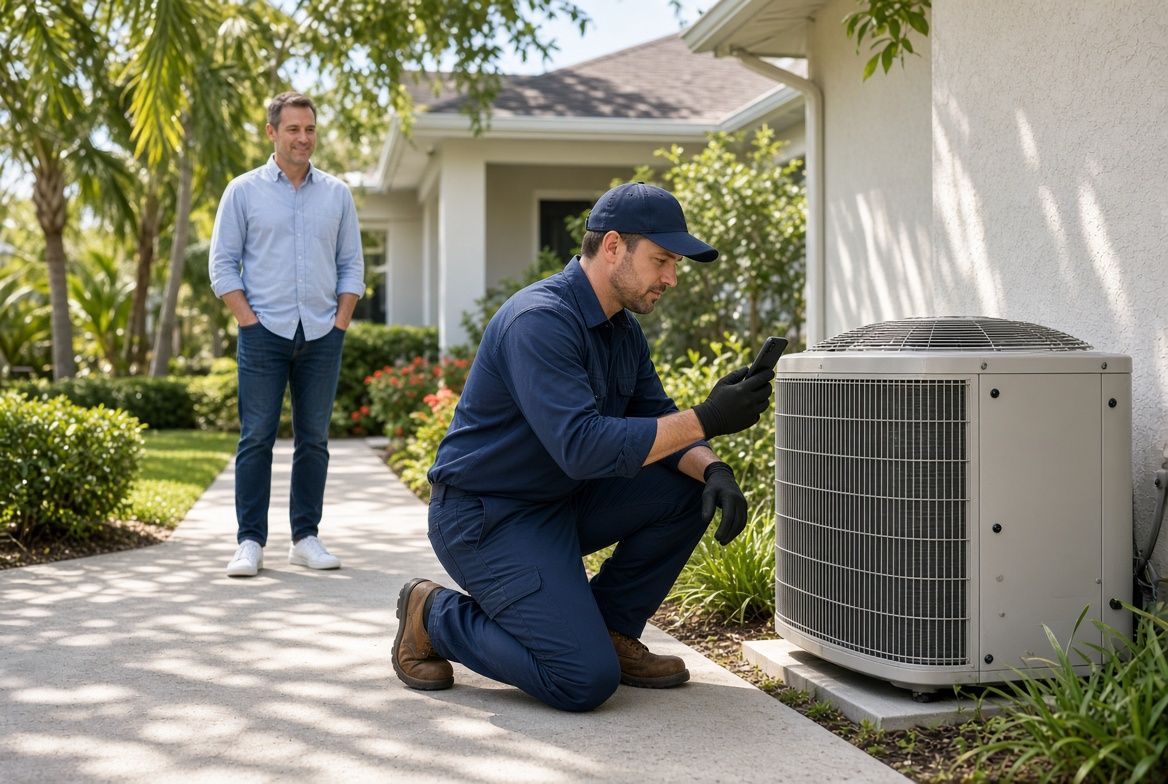
- Walk the work with the customer. Show what changed. Point to the part, the repair, or the finished area. Ten minutes here prevents a three-hour return.
- Take proof photos. Before, after, model numbers, serial tags, and anything that was replaced. One album per job, not a camera roll of mixed houses.
- Confirm the scope out loud. "We replaced the capacitor and cleaned the drain. We did not replace the condenser." Say it. Then write it.
- Capture extras on the spot. If you found a second issue, note it with a photo and a recommended next step. Do not bury it in a later text.
- Get a simple sign-off. A checkbox on a phone is enough. "Work completed as discussed." That one tap settles most billing questions.
- Send the recap before you leave. A short message with photos and the next step (invoice, follow-up visit, or filter reminder) while you are still on site.
- Mark the job closed in one place. Not in a group chat. In the same system the office uses to invoice and schedule.
If a step cannot be done on site, it usually does not get done well later.
How a Brandon HVAC crew stopped the bounce-back jobs
A small AC company serving Brandon and Riverview had the same Friday pattern. Techs finished 8 to 10 calls. By Monday, two or three homeowners had called back: unit still warm, drain still dripping, or "I thought that was included."
The techs were not sloppy. The closeout was. Notes lived in texts. Photos lived on personal phones. The office invoiced from memory two days later.
They added one rule: no truck leaves until the recap is sent and the job is marked closed. Within a month, Monday callback volume dropped. Invoices went out the same day. The owner stopped starting the week by apologizing.
The work quality did not change. The proof and the handoff did.
What to capture before the truck moves
If you only tighten one part of closeout, tighten the record. Future you cannot inspect a house you already left.
Use this as a minimum kit for every completed job:
- Two after photos of the finished work
- One photo of any part that was replaced
- Equipment tag or location note if it matters later
- A one-line summary of what was done
- Any "we recommended, customer declined" item
- Who was on site and who approved the work
That list looks basic. It is also the difference between a clean invoice and a 20-minute argument.
Keep the office out of detective mode
Office staff should not have to ping a tech at 4:30 p.m. asking what happened at the 11 a.m. stop. If that is a daily ritual, the closeout is happening in the wrong place.
Give the field one short path: photos, notes, sign-off, done. Give the office a screen that already has those pieces when they build the invoice.
When the handoff is clean, three things speed up at once. Billing. Customer questions. The next booking. You also stop training customers that they have to chase you for answers.
Start with one closeout rule this week
Do not rebuild the whole company around this. Pick the leak that hurts most and close it first.
If callbacks are the pain, require the walkthrough and photos. If cash is slow, require the recap and same-day invoice trigger. If reviews are thin, add the ask to the recap you already send from the driveway.
Write the rule in one sentence. Post it where techs actually see it. Check it on three jobs, not thirty. Adjust the wording, then make it the default.
A focused system helps here more than a pile of new apps. A booking flow that captures the right details up front, a simple job record the crew can finish on a phone, and an automatic recap to the customer will remove most of the scramble. The goal is not more software. The goal is a job that stays done after the truck leaves.
Are the calls getting away from you?
I work with Tampa HVAC and plumbing companies that already run at least 3 trucks. Call or text me.