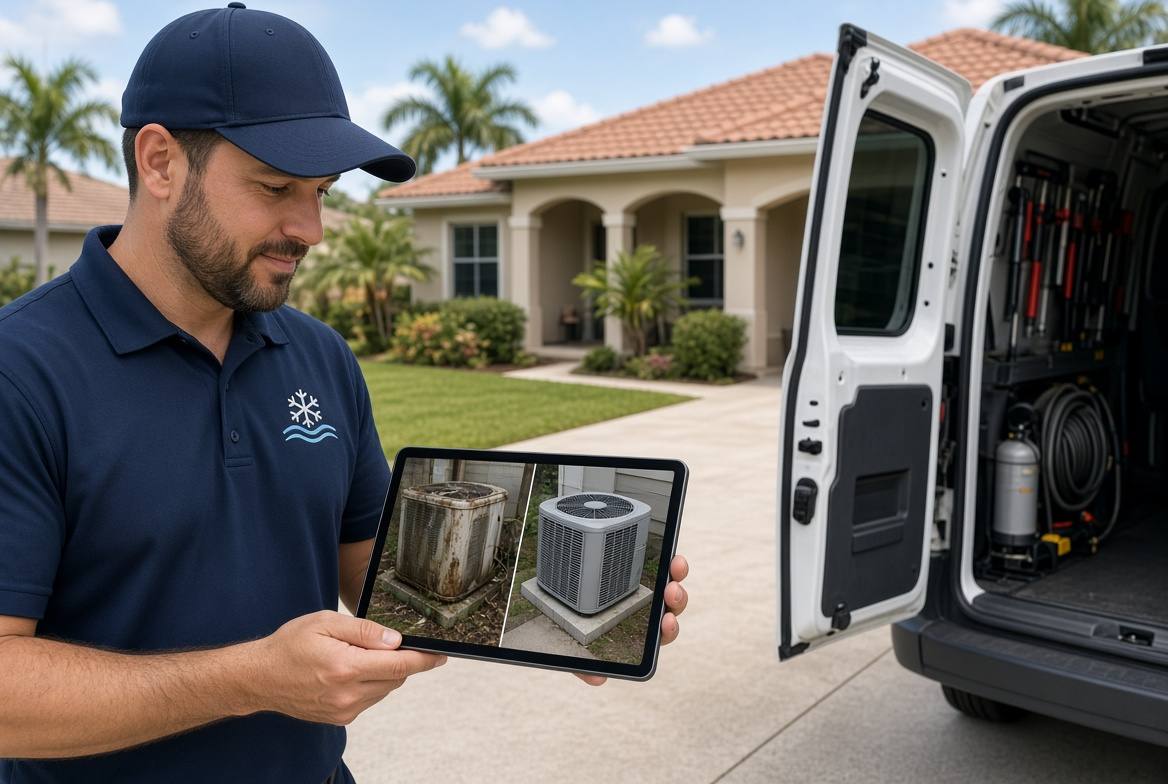
Real Job Photos Beat Stock Site Images
A homeowner in Brandon can tell a stock photo from a real job in about two seconds. The smiling model, the empty driveway, and the perfect lawn do not look like their house. They look like a template.
That flash of doubt is expensive. Ready buyers do not need a prettier site. They need proof that a crew like yours has already done this work on streets like theirs. Real job photos do that job better than any slogan.
Why stock photos quietly kill trust
Stock images are easy. They are also generic. Every competitor can rent the same picture of a van, a handshake, or a spotless condenser.
When two HVAC sites use the same kind of photo, the visitor has no reason to pick you. They bounce, open another tab, and call the company that looks like it actually works in Pinellas or Hillsborough County.
Trust is not a badge at the bottom of the page. It starts with the first picture the visitor sees.
What a local buyer is trying to confirm
People who search for a plumber, cleaner, or restoration crew are not browsing for fun. They want a fast answer to a few private questions.
- Have you done this exact job before?
- Will the work look clean when you leave?
- Do you work in homes like mine, not only on commercial sites?
- Is this a real local crew or a rented brand?
Reviews help. So do licenses and city names. Photos of finished work answer those questions faster than a paragraph of copy.
A Tampa Bay HVAC example
A two-truck cooling company in Pinellas Park had a site that looked fine on a laptop. The hero image was a bright stock photo of a technician pointing at a thermostat. The service pages used more stock. Calls were steady enough that the owner left it alone.
Then they tracked where form fills dropped. Visitors opened the AC replacement page, scrolled past the rented photos, and left. The page described the work. It never showed the work.
They replaced the hero and three service images with photos from recent jobs: an old rusted condenser, the same pad after a clean install, and a tight attic coil swap in a 1990s ranch. No filters. No models. Just the job.
Quote requests on that page rose within a few weeks. The offer did not change. The proof did.
The photos that actually convert
You do not need a studio. You need a simple habit and a short list of shots that match what people buy.
- Before: the broken, dirty, or outdated thing you were hired to fix.
- During: one clear shot of the crew working, faces optional, site tidy.
- After: the finished result from the same angle as the before photo.
- Context: the house, yard, or building so the job feels local.
- Detail: a close photo of the clean install, cut, seal, or repair.
Pair each set with the city and the service name. "AC replacement in Town N Country" beats "quality installations." The visitor should recognize the work and the neighborhood in one glance.
A 10-point photo check for your site
Open your homepage and top two service pages on your phone. Score each item yes or no.
- Is the first image a real job from your crew, not a stock library shot?
- Can a stranger tell what service they are looking at without reading?
- Do you show a before and after for your highest-value job?
- Are faces, trucks, and homes from your market, not another state?
- Do photo captions name the service and a city or area?
- Are images sharp on a phone, or stretched and cropped badly?
- Do you avoid cluttered group collages that hide the actual work?
- Is there at least one photo near the call or book button?
- Would you be willing to stand behind every photo if a neighbor asked?
- Can your office find new photos without digging through text threads?
If you miss four or more, the site is asking people to trust words they have already seen on five other sites.
Build a photo habit that does not slow the crew
Field techs will not become photographers. Keep the rule small enough that it survives a busy Thursday.
One person on the job takes five photos before they pull away. Same angles every time. They drop the set into the job record, not a personal camera roll. The office picks one before-and-after pair for the matching service page each week.
That is enough. A library of 20 honest photos beats 200 random shots sitting in someone's phone.
Write a one-line standard so the shots stay useful: daylight when possible, no mess in the frame that you caused, no customer faces unless they agree, and no filters that hide the real finish.
Where the photos should live
Do not hide proof on a distant gallery page. Put the strongest set on the page that ranks for the job you want.
The AC repair page needs AC repair photos. The water damage page needs dry-out photos. The lawn page needs yards in your service area, not a national stock meadow.
Place one proof set near the top, then another near the button that asks them to call or book. If the visitor has to hunt, they will not hunt for long.
What to fix this week
You do not need a redesign to make this change. You need better proof in the spots people already visit.
Pick your top money page. Swap the first image. Add one before-and-after pair. Write a short caption with the service and the city. Then give the crew a five-shot closeout so next month's pages stay fresh.
A focused website does this on purpose. It shows the work, names the area, and makes the next step obvious. When photos, booking, and job records live in one simple system, proof stops living in a phone and starts winning the job.
Are the calls getting away from you?
I work with Tampa HVAC and plumbing companies that already run at least 3 trucks. Call or text me.